
Job GUI
Its time to figure out a proof of concept for some kind of GUI for jobs. This would be some kind of tablet, phone, laptop device that players can purchase to access this GUI.
What would this GUI have?
Players can click on a button at the right side of the screen to open this GUI. Players that doesn't have license to said license, won't be able to click on a button like Taxi.
New window pops up with the various jobtypes/professions the insim offers.
- When either of these professions are clicked on, they'll be sent to another page to view content about a profession.
What info should each profession show information about?
Profession | Description |
Normal | This is the default profession all players has access to. GUI wise - player can use GUI to set the GPS destination to any location where they can deliver food from. |
Heavy-Duty | This is a profession with several sub-categories:
Each of these can open their job GUI and click Once job is accepted at the booth, player has a new destination to pick up the package(s). Once arrived at the pickup location, the package(s) is ready to be loaded. Once loaded, player gets a new GPS destination to drop-off the package(s). |
Taxi |
|
Bus |
|
Proof of concept
This first image pops up when a player accesses the Job GUI. The naming scheme has still not been decided.
Todo:
- Find a suitable name for this GUI.
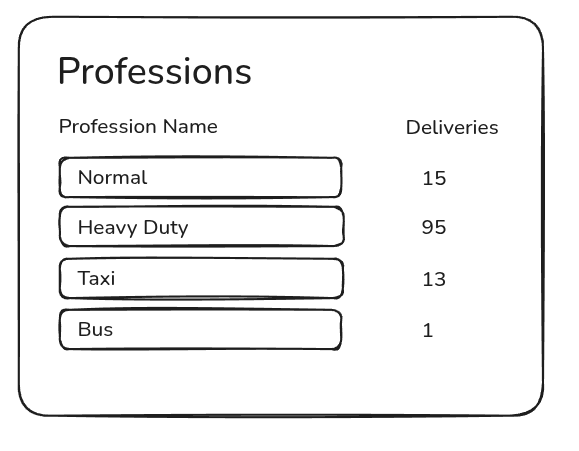
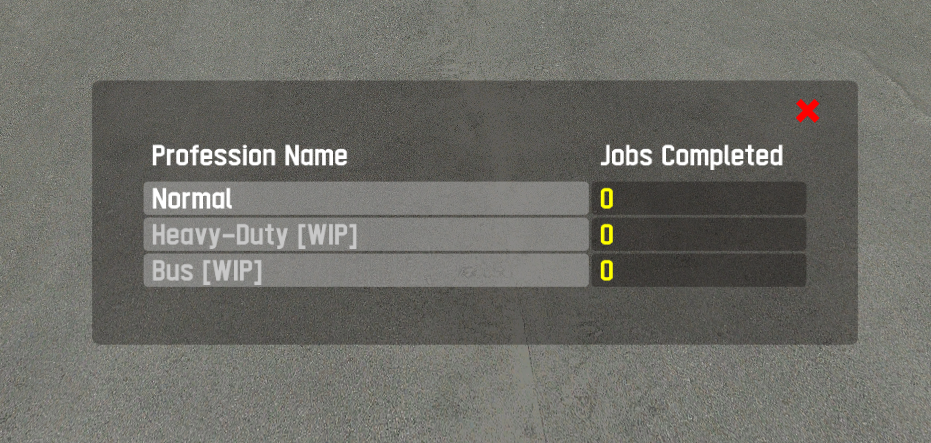
- Normal
- Heavy Duty (Includes
garbage collection,heavy cargo,time-based) - Taxi
- Bus
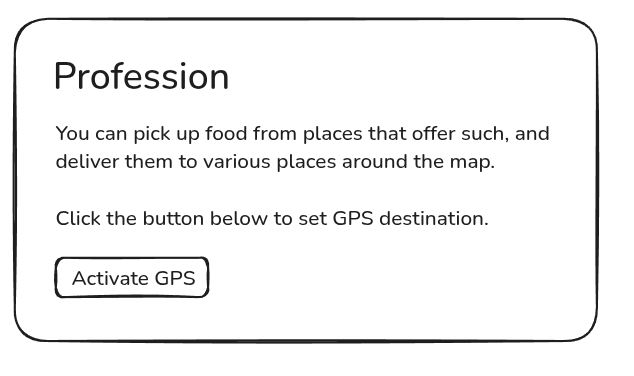
Each profession window is obviously going to be different, have different things they need to show.
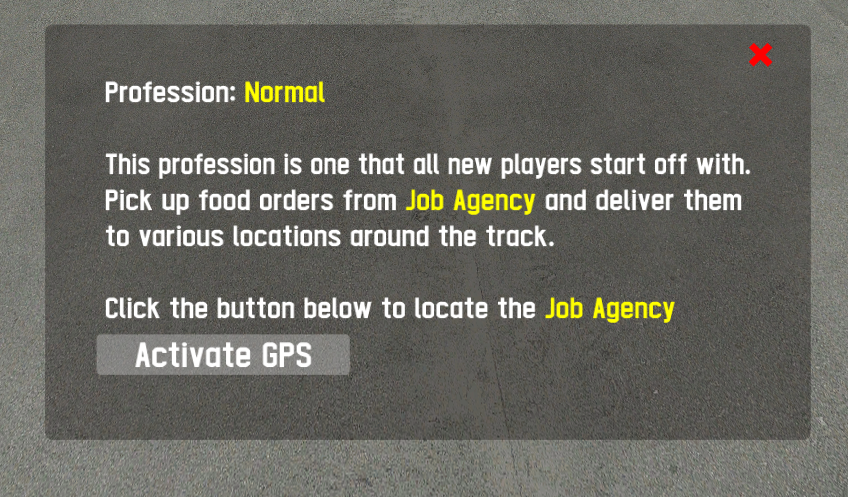
Below is the implementation of the NORMAL job type. The one all players start off with as a new player. When the Activate GPS button is clicked, the buttons are cleared and the GPS destination is set to Job Agency.
No comments to display
No comments to display